
PrismDLSS 5 photo and video upscale
Give a finished shot a second pass in ComfyUI. Compare a photo with its source, or export a sharper clip with its original audio.
Requires Windows x64, a compatible NVIDIA RTX GPU and a separately installed DLSS 5 runtime.
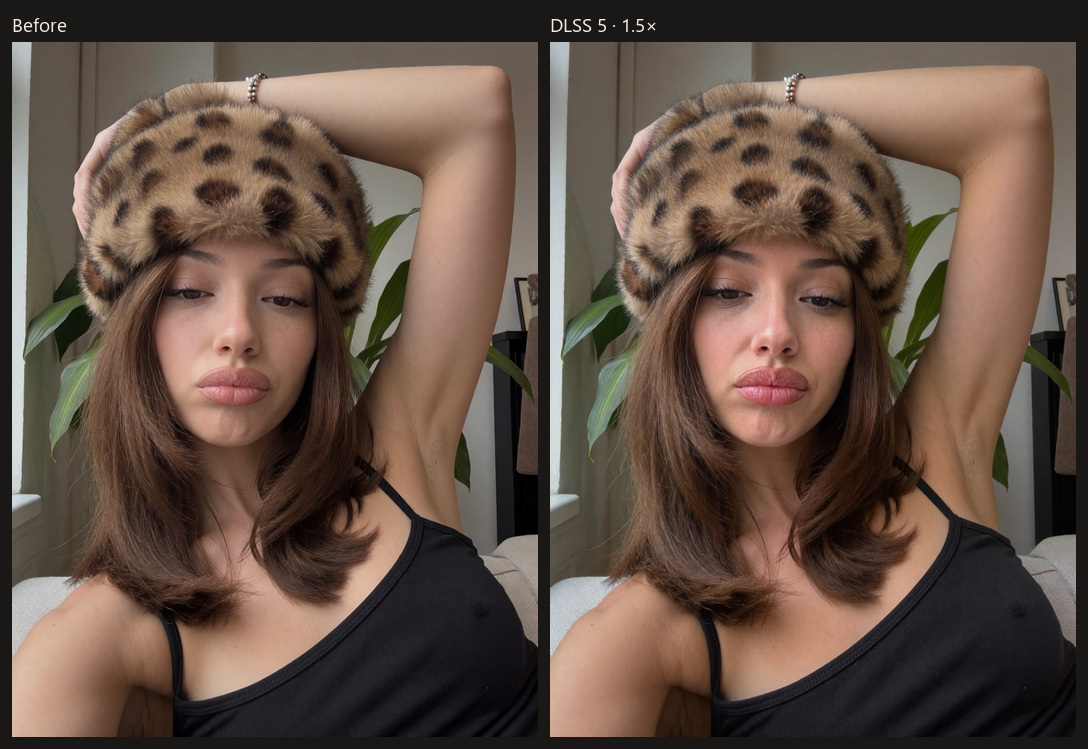
Photo before and after
What you need to run it
The ELITE download includes the ComfyUI graph, Graphite nodes and a setup guide. Choose Photo for a comparison slider and PNG export, Video for MP4 with source audio, or Frame Sequence for access to frames inside the graph.
Use a current ComfyUI build and a Windows DLSS 5 Neural Rendering runtime that matches your RTX GPU and driver. Start with a short SDR clip. Processing time depends on the GPU, scale and length of the clip.
In our demo benchmark, a photo went from 896 × 1184 to 1344 × 1776 in 5.2 seconds on an RTX 3070 Laptop GPU, including export. The previews and benchmark used a PyTorch port of the neural renderer. The downloadable graph uses the separate Windows runtime.